


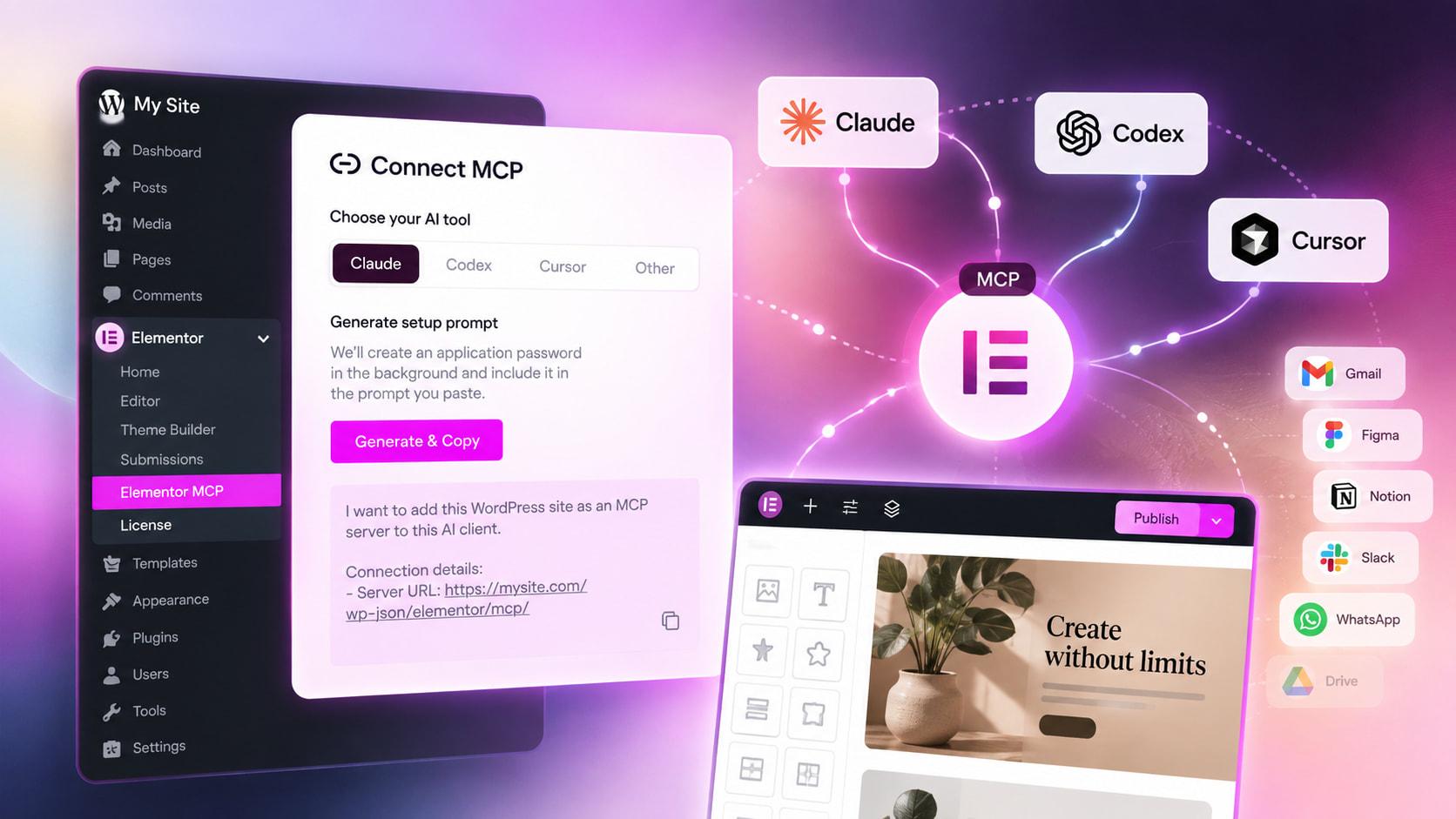
AI-assisted web development is moving beyond generating code and answering questions.
We are now getting to a point where AI can actually work with the tools we use to build websites.
For WordPress developers who use Elementor, one of the most interesting developments is Elementor MCP.
MCP stands for Model Context Protocol. It provides a way for AI applications to communicate with external tools and systems. In the case of Elementor, it allows compatible AI tools such as Claude, Codex, and Cursor to work with an Elementor website.
That means you can describe what you want in natural language and let the AI create or modify parts of the website.
You can still open the same website in Elementor afterward and continue editing it normally.
That combination is what makes the idea interesting.
What Is Elementor MCP?
Elementor MCP connects your Elementor website with an AI tool that supports MCP.
Instead of using AI only for writing code or generating ideas, you can give it access to your Elementor environment and ask it to perform tasks on the website.
For example, you could ask it to:
- Create a new page section
- Modify an existing layout
- Build a custom interaction
- Update content
- Work with images in the media library
- Create or update WordPress content
- Work with custom fields
- Modify WooCommerce products
- Create supporting code when required
The exact capabilities depend on the tools and integrations available, but the basic idea is simple:
You describe the task. The AI works with the website. You review the result.
And because the work is created within the Elementor environment, you can continue editing the result yourself.
How Elementor MCP Changes the Development Workflow
Traditionally, building a WordPress page might look something like this:
You open Elementor, create containers, add widgets, configure spacing, adjust typography, create interactions, check the responsive layout, and repeat the process for every section.
None of these tasks are particularly difficult.
The problem is that many of them are repetitive.
Elementor MCP gives you another option.
You can describe the structure or behavior you want and let the AI handle the first implementation.
For example:
“Create a full-width section with four cards. When the user hovers over each card, change the active card and show its related icon.”
Instead of manually working through every setting, you can give the instruction to your AI tool and let it create the initial version.
You can then open Elementor and adjust the details yourself.
This creates a hybrid workflow.
AI handles the repetitive implementation work, while the developer remains responsible for the direction, review, and final result.
You Don’t Have to Give Up Control
This is probably the part of Elementor MCP that I find most useful.
When AI generates something, there can be a concern that you are creating a black box that you cannot easily edit later.
That is not the intended workflow here.
The generated work can remain part of the Elementor structure.
You can open the page in Elementor, inspect the containers and widgets, change the styling, replace content, adjust responsive settings, or make your own changes.
So you are not necessarily choosing between:
Manual Elementor development
or
AI-generated websites
You can combine both.
For a developer, that can be a much more practical way to work.
Creating More Complex Designs With Natural Language
One area where this can become useful is custom interaction design.
Imagine a client sends you a screenshot of an interaction they like.
Normally, you would need to understand how the interaction works, decide whether Elementor can handle it directly, and then potentially add custom CSS or JavaScript.
With an AI-assisted workflow, you can provide the screenshot or describe the behavior.
For example:
“When I hover over each title, show the related icon in the bottom-left corner and smoothly transition between the items.”
The AI can attempt to build the structure and interaction.
You can then review it and make corrections.
This doesn’t mean every design will work perfectly on the first attempt.
It means the first implementation can happen much faster.
Elementor MCP Is Not Limited to Page Design
This is where the idea becomes more interesting for WordPress developers.
A WordPress website usually contains much more than Elementor pages.
There might be:
- Custom post types
- ACF fields
- WooCommerce products
- Product variations
- Media files
- Custom snippets
- Dynamic content
- Relationships between different pieces of content
The AI can work with these parts when the required capabilities are available.
For example, a recipe website could have a custom post type for recipes and custom fields for ingredients, preparation time, serving size, and related products.
Instead of manually creating every recipe and filling every field, an AI tool could help populate that existing structure.
That is a much more interesting use case than simply asking AI to write a paragraph.
Working With ACF and Custom Fields
ACF is commonly used to extend WordPress with custom fields.
For example, a recipe might contain fields such as:
- Preparation time
- Cooking time
- Servings
- Ingredients
- Instructions
- Related products
When an AI tool has access to the required WordPress capabilities, it can work with this structured content rather than treating the page as a simple block of text.
This opens up some interesting possibilities.
You could ask the AI to create a new recipe and populate the fields according to the existing structure.
You could also ask it to update existing content while maintaining the site’s data model.
This is where having a well-structured WordPress website becomes even more valuable.
AI works much better when your content and site structure are clearly organized.
AI Can Create Supporting Functionality Too
Sometimes a page builder isn’t enough to implement a particular feature.
For example, imagine a recipe website where ingredients are stored in grams, but visitors want to switch between grams, ounces, and other units.
You could manually build the conversion functionality with JavaScript or PHP.
With an AI-assisted workflow, you can describe what you need and allow the AI to create the supporting functionality.
In the Elementor MCP examples, additional functionality was created through code snippets when the task went beyond normal Elementor page-building capabilities.
This is an important distinction.
AI is not only arranging visual elements.
It can also help fill gaps where custom WordPress functionality is needed.
Of course, generated code still needs to be reviewed and tested.
Working With WooCommerce
WooCommerce is another area where this workflow gets interesting.
Imagine you receive a client message saying:
“Please add a new 500g variation to this product and update the price.”
Normally, you would open WordPress, go to WooCommerce, find the product, open variations, create the new variation, add the price, and save it.
With the right connections and permissions, an AI tool can potentially handle much of that process from a natural-language instruction.
It can inspect the existing product first, understand the current variations, and then make the requested change.
That can be useful for store owners and developers who regularly receive small product-management requests.
Connecting AI With Other Tools
A website is rarely isolated from the rest of a business.
A client might send requests through:
- Gmail
- Slack
- Figma
- Google Drive
At the same time, the website may use:
- WordPress
- Elementor
- WooCommerce
- ACF
If your AI environment has access to multiple MCP-compatible tools, it can potentially connect information between these systems.
For example:
Client email → AI reads request → AI checks WooCommerce → AI updates product
That is much closer to an actual business workflow than simply generating code.
It also opens the door to more automated processes in the future.
The AI Still Needs a Good Developer Behind It
This is probably the most important thing to understand.
Giving an AI access to your website does not mean you can stop understanding WordPress.
In fact, your technical knowledge becomes even more useful.
You need to know what you want.
You need to know how the website should be structured.
And you need to recognize when the AI has chosen a solution that works visually but is not ideal technically.
For example, an AI might solve a visual problem using custom CSS when a cleaner Elementor structure would have been better.
Or it might create a snippet when an existing WordPress feature could have handled the same requirement.
The result might look correct.
But that does not necessarily mean the implementation is good.
So I would treat AI as an assistant rather than an autonomous developer.
Review What AI Creates
One thing I would strongly recommend is reviewing the implementation after the AI finishes.
Don’t only check the front end.
Open Elementor and inspect the structure.
Look at:
- Containers
- Widgets
- Classes
- Custom CSS
- Dynamic content
- Custom fields
- Snippets
- WooCommerce data
- Responsive behavior
Ask yourself whether the implementation will still make sense six months from now.
This becomes especially important on client websites.
A quick AI-generated solution can save you an hour today but create maintenance problems later if you don’t review it.
Start With a Staging Website
I would not recommend experimenting with MCP directly on a production website.
Create a staging copy first.
Then test small tasks.
For example:
- Ask AI to create a simple Elementor section.
- Ask it to modify an existing section.
- Try a custom interaction.
- Ask it to update an image.
- Test a custom field workflow.
- Try a WooCommerce product update.
- Inspect everything it changed.
Once you understand how the system behaves, you can gradually move toward more advanced workflows.
Backups are also important.
AI can make changes quickly, which is useful when the changes are correct. It also means mistakes can happen quickly.
Elementor MCP and Elementor Pro
According to the current information presented by Elementor, connecting MCP itself does not add a separate Elementor MCP fee.
However, the features available through the workflow still depend on the Elementor plan.
Basic Elementor structures can be created using the core capabilities, while Pro features such as forms, pop-ups, dynamic content, and display conditions require the appropriate Elementor Pro subscription.
There is also the cost of the AI tool you choose.
Claude, Codex, Cursor, and similar services can have their own subscription and usage costs.
So the MCP connection and the AI service are separate parts of the overall setup.
Elementor MCP and V4
Another technical point to keep in mind is Elementor’s V4 structure.
The information provided with the MCP release says it currently works best with V4 atomic structures and that the Atomic Editor should be enabled.
This matters if you are working on older Elementor websites.
If your existing website uses an older structure, don’t assume that every MCP workflow will behave exactly the same way.
Test it first.
For an existing client project, I would definitely use a staging environment before allowing AI to modify important pages or data.
What This Could Mean for WordPress Developers
I don’t think the most interesting part of Elementor MCP is that AI can “build websites.”
AI has already been doing that in different forms.
The more interesting part is the ability to connect AI directly with the tools we already use.
Think about the small tasks that take up time during a normal WordPress project:
Changing several images.
Updating dozens of pieces of content.
Creating similar sections.
Adding product variations.
Updating custom fields.
Creating small interactions.
Making repetitive layout changes.
Checking different parts of a site.
None of these tasks require a developer to reinvent the wheel.
But they still consume time.
If AI can handle part of that work, developers can spend more time on the parts that actually require judgment.
Things like:
Site architecture.
User experience.
Performance.
Accessibility.
SEO.
Design decisions.
Client requirements.
Testing.
Quality control.
That is where I see the real value.
AI Won’t Remove the Need to Understand WordPress
There is a temptation with tools like this to think:
“I don’t need to learn WordPress anymore. I can just tell AI what to do.”
I don’t think that is a good approach.
If you don’t understand WordPress, Elementor, WooCommerce, or your site’s architecture, you won’t always know whether the AI has made the right decision.
You may get a page that looks great but has a poor structure behind it.
You may get unnecessary custom code.
You may create performance issues.
You may accidentally break existing functionality.
The better approach is to become the person directing the AI.
You decide what should be built.
AI helps you build it.
You review the implementation.
Then you make the final decision.
My Take on Elementor MCP
For WordPress developers, Elementor MCP is an interesting step toward a more AI-assisted development workflow.
The biggest advantage is not that it can replace everything we currently do.
It is that it can reduce the amount of repetitive work involved in building and managing websites.
And the fact that the result can remain editable within Elementor makes the workflow much more practical.
I can see this being particularly useful for agencies, freelancers, and developers who manage multiple WordPress websites and regularly deal with repetitive client requests.
The best workflow will probably be different for every developer.
Some tasks will still be faster to do manually.
Others will be much faster to delegate to AI.
The important thing is learning where that line is.
Final Thoughts
Elementor MCP brings AI closer to the actual WordPress development environment.
Instead of using AI only beside WordPress, you can start using it with WordPress.
You can describe a layout, update content, work with structured data, modify WooCommerce products, create supporting functionality, and handle repetitive tasks through natural-language instructions.
But the developer still has an important role.
AI can help with the work.
You still need to provide the direction, review the result, and make sure the final website is something you can confidently maintain.
For me, that is the most useful way to think about Elementor MCP.
It isn’t about letting AI build everything for you. It’s about giving a capable assistant access to the tools you already use, so you can spend less time on repetitive work and more time building better websites.